

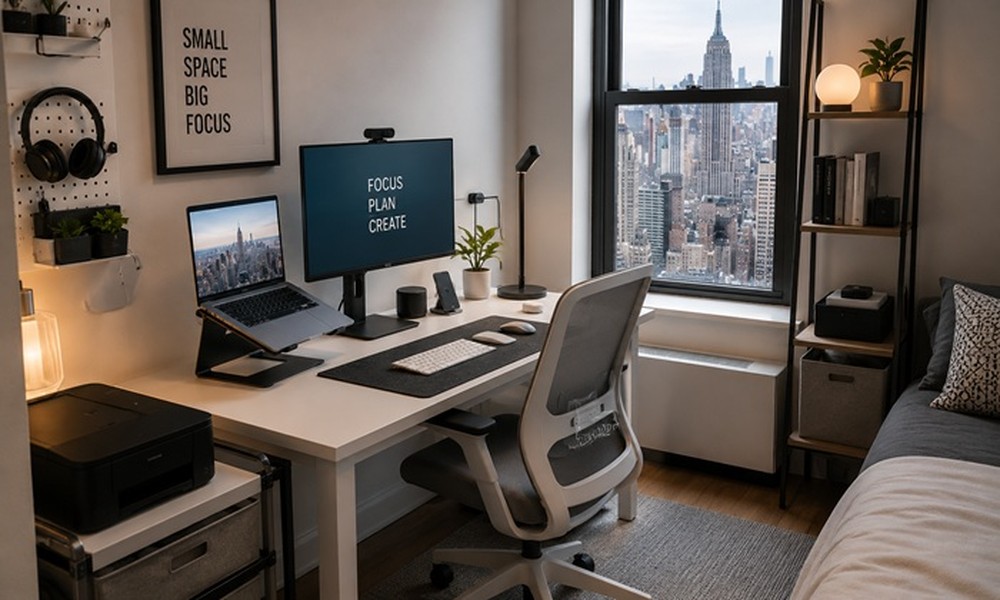
Setting up a home office in a New York City studio apartment is one of those challenges that sounds impossible until you’ve actually done it. With average Manhattan studios clocking in under 500 square feet, you’re essentially fitting a workspace, bedroom, kitchen, and living room into a space the size of a decent-sized garage. The right home office tech for NYC studio apartments can be the difference between productive workdays and constant distraction.
The Real Challenge of NYC Studio Home Offices
It’s not just space – it’s context switching. In a studio, your desk is also three feet from your bed. That psychological separation matters for focus. Smart tech choices can create that mental boundary without physical walls.
Must-Have Home Office Tech for Small NYC Spaces
1. Ultrawide Monitor (or Dual Monitors on a Single Arm)
A 34-inch ultrawide like the LG 34WN80C replaces two monitors with one, and a single monitor arm keeps your desk surface clear. This setup genuinely feels like more screen space in less physical footprint.
2. USB-C Docking Station
One cable in, everything out. A CalDigit or Anker docking station connects power, internet, monitor, and peripherals through a single USB-C port on your laptop. No cable rat’s nest, and your desk stays clear when you close up for the day.
3. Foldable Standing Desk Converter
You don’t need a full standing desk. A foldable converter like the FlexiSpot M2 sits on your existing surface and folds flat when you’re off the clock – critical when your desk also doubles as a dining table in a studio.
4. Noise-Cancelling Headphones
In a New York apartment building, there’s always a neighbor, a delivery truck, or a dog. Sony WH-1000XM5 or Bose QC45 headphones are investments that pay for themselves in recovered focus time. These are genuinely essential NYC gear.
5. Smart LED Bias Lighting
Govee or Philips Hue bias lights behind your monitor reduce eye strain during long work hours and create a subtle visual separation between ‘work mode’ and ‘relax mode’ – useful in a single-room setup.
NYC Studio Office Tech: Feature Comparison
| Device | Footprint | Price Range | Remote Work Value |
| Ultrawide Monitor | Medium | $300-600 | High |
| USB-C Dock | Tiny | $80-200 | Very High |
| Standing Desk Converter | Folds flat | $100-250 | High |
| ANC Headphones | Bag-sized | $200-380 | Essential |
| Bias Lighting | Minimal | $20-60 | Moderate |
Expert Insight
NYC-based productivity consultant Sara Lim recommends treating your studio office like a ‘zone, not a corner.’ Even a simple rug under the desk or a different light temperature during work hours signals to your brain that this space means business. Tech that reinforces that signal – good lighting, quality audio, clean desk surface – is money well spent.
Common Mistakes NYC Remote Workers Make
- Using a laptop directly on a mattress or couch – it destroys posture and signals rest to your brain.
- Skipping a proper router upgrade. In a dense NYC building, Wi-Fi interference is real. A Wi-Fi 6 router like the TP-Link Archer AX21 fixes this.
- Buying a printer you’ll use four times a year – use a local FedEx Office instead.
FAQs
What is the single most impactful upgrade for a studio home office in NYC?
Noise-cancelling headphones. NYC ambient noise is relentless, and focus is the scarcest resource in a studio apartment.
Can I set up a proper home office without a dedicated desk?
Yes. A foldable lap desk and monitor arm that mounts to a shelf can work surprisingly well. But a fixed surface, even a small one, consistently outperforms makeshift setups for productivity.
Is a standing desk worth it in a studio apartment?
A converter is worth it – a full standing desk often isn’t. Converters fold away; full desks don’t.
A well-equipped studio home office isn’t about having more space – it’s about using the space you have deliberately. Start with the dock and headphones, then build from there as your work demands grow.
