

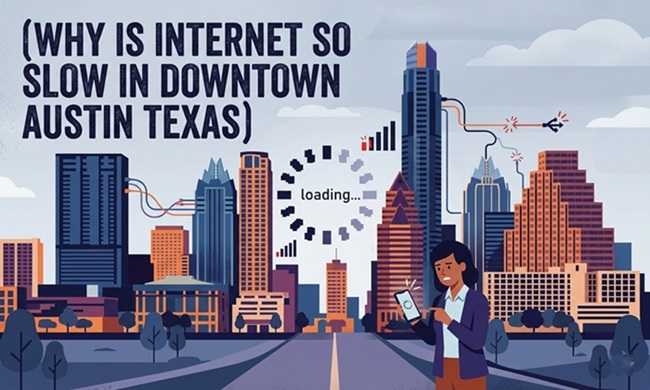
If you’ve ever sat in a downtown Austin coffee shop watching a progress bar crawl, or tried to take a video call from your office on 6th Street and spent half of it frozen, you’re dealing with a real and well-documented problem. Internet slowdowns in downtown Austin, Texas aren’t random — they have specific causes, and some of them have practical fixes.
The Real Reasons Internet Is Slow in Downtown Austin
1. Network Congestion During Peak Hours
Downtown Austin is one of the most densely populated urban cores in Texas, and it’s growing. During peak hours — typically 9 AM to 12 PM and 5 PM to 8 PM on weekdays — thousands of users compete for the same bandwidth on shared networks. Coffee shops, coworking spaces, and hotel lobbies with shared WiFi feel this most acutely.
2. Infrastructure Lag Behind Growth
Austin has grown at a pace that its telecom infrastructure has struggled to match. Areas that were lower density a decade ago now host high-rises and dense commercial districts. Fiber lines and wireless infrastructure take time to scale, and downtown Austin has had visible gaps.
3. Event Congestion (SXSW, ACL, Major Conventions)
Austin’s event calendar is a nightmare for internet performance. During SXSW alone, downtown cellular networks routinely become nearly unusable as tens of thousands of visitors hit local towers simultaneously. Even wired building connections see slowdowns when shared infrastructure is stressed.
4. Shared Building Infrastructure
Many downtown Austin office buildings and mixed-use developments share a single internet provider line across hundreds of tenants. If the building management hasn’t upgraded the upstream connection, no amount of a good personal router will fix a bandwidth ceiling imposed by the building.
5. Wireless Interference
High-density environments with dozens of overlapping WiFi networks cause channel interference. In a downtown Austin high-rise or coworking space, your device may be competing with 30+ nearby networks — even if each one technically has available bandwidth.
What You Can Actually Do About Slow Downtown Austin Internet
- Use 5 GHz WiFi when available — it’s less congested than 2.4 GHz in dense environments
- Get a personal cellular hotspot on a different carrier than everyone around you (Verizon and T-Mobile tend to perform differently in Austin’s downtown core)
- Work off-peak hours when possible — before 8 AM and after 7 PM, downtown networks thin out significantly
- Request building management documentation on their ISP connection — you may be able to advocate for an upgrade
- Use wired ethernet if your office has access — WiFi is almost always slower in congested areas
Pro Tips for Working Reliably in Downtown Austin
Pro Tip: If you regularly work from coffee shops in downtown Austin, test your hotspot signal from AT&T, T-Mobile, and Verizon at your usual spots. Network performance varies dramatically by block and by carrier. One may be unusable on your street while another runs at 200+ Mbps.
Common Mistakes to Avoid
- Blaming your device — slow downtown Austin internet is usually a network problem, not a hardware problem
- Relying solely on public WiFi for video calls — invest in a cellular backup plan
- Not checking your building’s ISP contract — some buildings lock tenants into shared business lines with data caps
- Ignoring a VPN’s speed impact — some VPNs add meaningful latency on already-congested networks
FAQs: Slow Internet in Downtown Austin
Who are the best internet providers in downtown Austin?
Google Fiber, AT&T Fiber, and Spectrum are the primary wired providers in Austin’s urban core. Google Fiber and AT&T Fiber generally provide the most consistent performance where available.
Does 5G help with internet speed in downtown Austin?
Yes, where coverage is consistent. T-Mobile’s 5G footprint in downtown Austin is relatively strong, but performance dips during major events. It’s a useful backup, not a primary solution for heavy users.
Why is downtown Austin slower than suburban Austin?
Population density, infrastructure age in certain corridors, and event traffic all concentrate in the urban core. Suburban areas often have newer infrastructure with fewer competing users.
Conclusion
Slow internet in downtown Austin isn’t something you have to accept as the cost of working in a vibrant city. Understand the cause — congestion, infrastructure, interference, or building limitations — and target the fix accordingly. A personal hotspot, a wired connection, or simply adjusting your schedule can meaningfully change your experience. The city’s infrastructure will eventually catch up to its population. Until then, workarounds are worth knowing.
